Q: How do I set this up?
A: Thanks for being willing to give Walltaker a try! It's pretty easy to get started, but it might seem a bit weird at first since there's some hoops we have to jump thru to be able to update your wallpaper.
0. Log in
Firstly, you will need an account. You can make an account by pressing the Sign Up link in the top-right-hand side of the screen, in the header. Once you have an account (which should only take 1 minute) return to this page. You must be logged in to continue.
1. Your First Link
Now that you have an account, you should make a
-
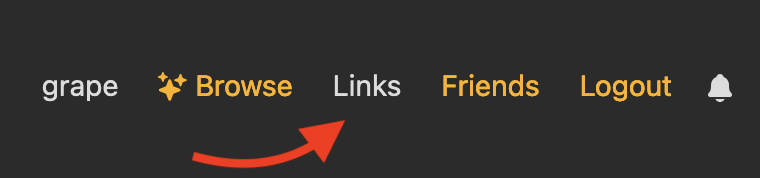
Click
Linksin the header.
-
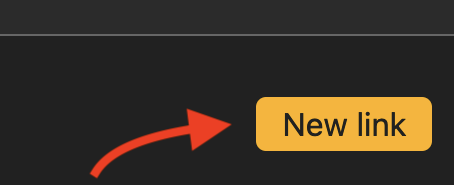
...then click
-
...then confire your new link.
There are 6 options to change here that affect who can set your wallpaper, and what restrictions they have to work within. Set these as you see fit, using the key below to explain what each option does.
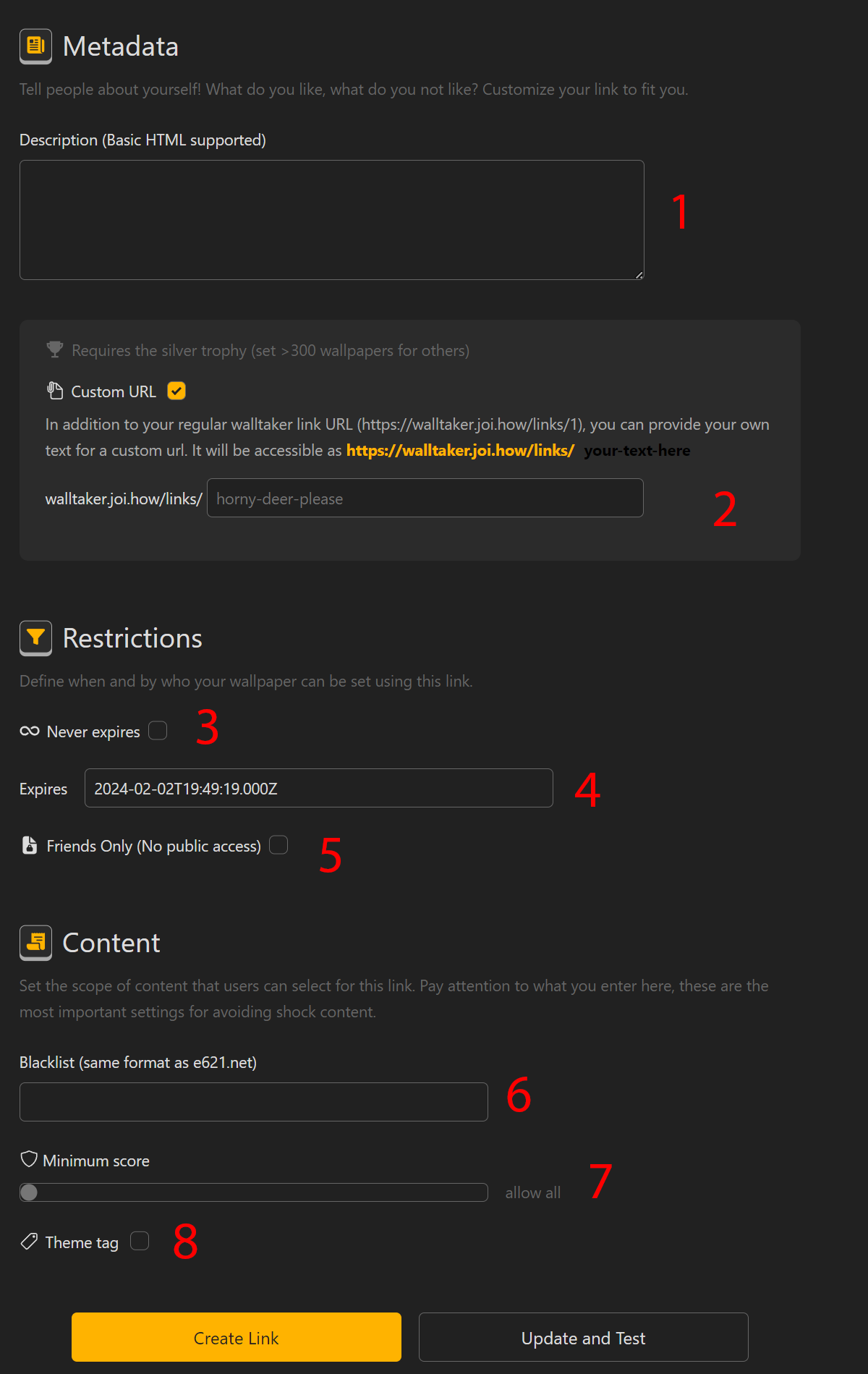
#1 Expires
This is the date at which this link will not accept more wallpaper changes. Clicking it will open a date picker. You could use this for example if you want to use walltaker for a full weekend, but want it to stop on monday for work.
#2 Never Expires
Ensures that the link will never expire, and people you allow to set the link will be able to do so until you delete it.
When checked, this link will never expire, and the #1 Expires option will be ignored.
When unchecked, this link will expire at the date indicated by the #1 Expires option. #3 Friends Only
This restricts who can set wallpapers on this link.
When checked, ONLY people you have accepted friend requests with will be able to see and set your wallpaper.
When unchecked, ANYONE (including anon users) will be able to see and set your wallpaper. #4 Blacklist
A list of E621 tags that must NOT appear on wallpapers people submit. Tags are separated by spaces or commas, and cannot be special tags. (such as rating:e)
female feral feline will prevent any posts with females presenting characters, feral characters, or felines.
male/male group_sex solo will mean you only get extremely boring, straight, 1-on-1 porn. You weirdo.#5 Terms
Your link terms are simply an area to express what you'd like to see as wallpapers more generally. Nothing here is enforced, it's just a text field for you to leave a note that appears on the link. I suggest you outline what things turn you on here.
#6 Theme Tag
Theme tags are special! This is a way to enforce all wallpapers submitted to this link to be tagged with a single, specific tag of your choosing. Use this when you're looking for something specific, like a specific species or sex act. You're horny, you'll come up with something fun. Be careful about how you type your tag in here. If you misspell this theme tag, no one will be able to submit anything until you remove it or correct the spelling. Confirm spelling on E621 if you have to.
loimu_(character) all posts will feature Loimu 🦌. Any other characters are blocked.
pokeemon a missspelled tag! No one will be able to submit anything.
tits an alias tag! While this works in e621 search, the real tag is "breasts", so this is the same as misspelling a tag.
When you've set it up how you'd like, click the button.
2. Configure Your Client
Congratulations! You should have a fresh link ready to share with the world. However, it currently doesn't change the wallpaper on anything. This is because, as simply a website, Walltaker can not change your wallpaper for you. To allow us to do this, we need a Walltaker Client, which is an app you can install on which ever devices you'd like to get wallpaper updates on. It will silently check your link every 10 seconds, and update your wallpaper if there's a new one, automatically.
You can download a client for which ever device you'd like to use. Follow the instructions for each one for how to install it, then return to this tutorial.
- Desktop Client (Windows/Linux)
- Android Client (Android 12+)
- Lycraon's Wallpaper Engine Client (Wallpaper Engine for Windows)
- Deanskond's Automate Client (Automate App for Android)
- MacOS Client (MacOS)
- JOI.how (Web-based)
Once you've installed your client, you need to configure it to pull wallpapers from specifically YOUR link. You can do this by going to your link page, and getting the link ID.
-
Click
Linksin the header.
-
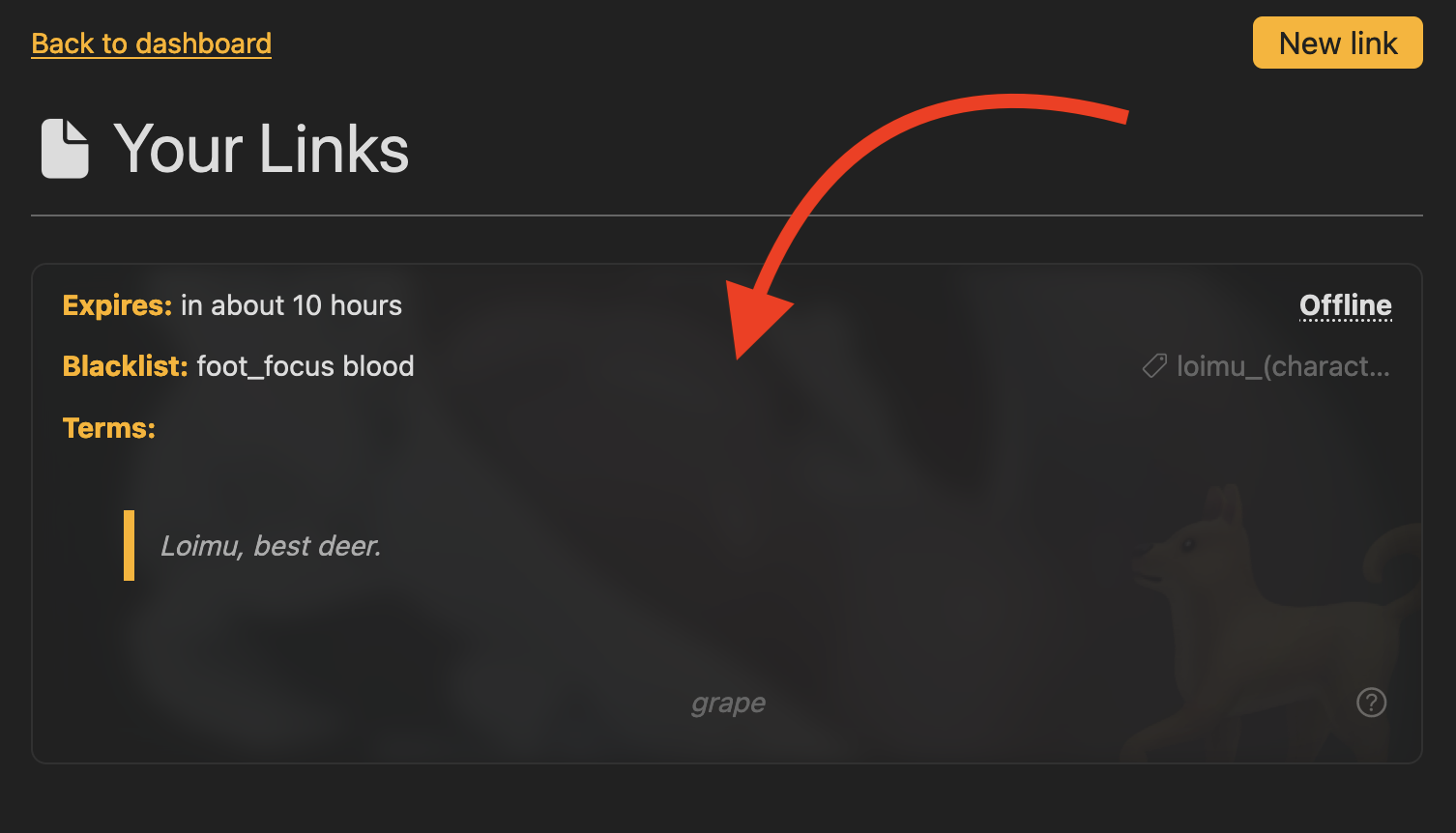
...then click the link you made from the list
-
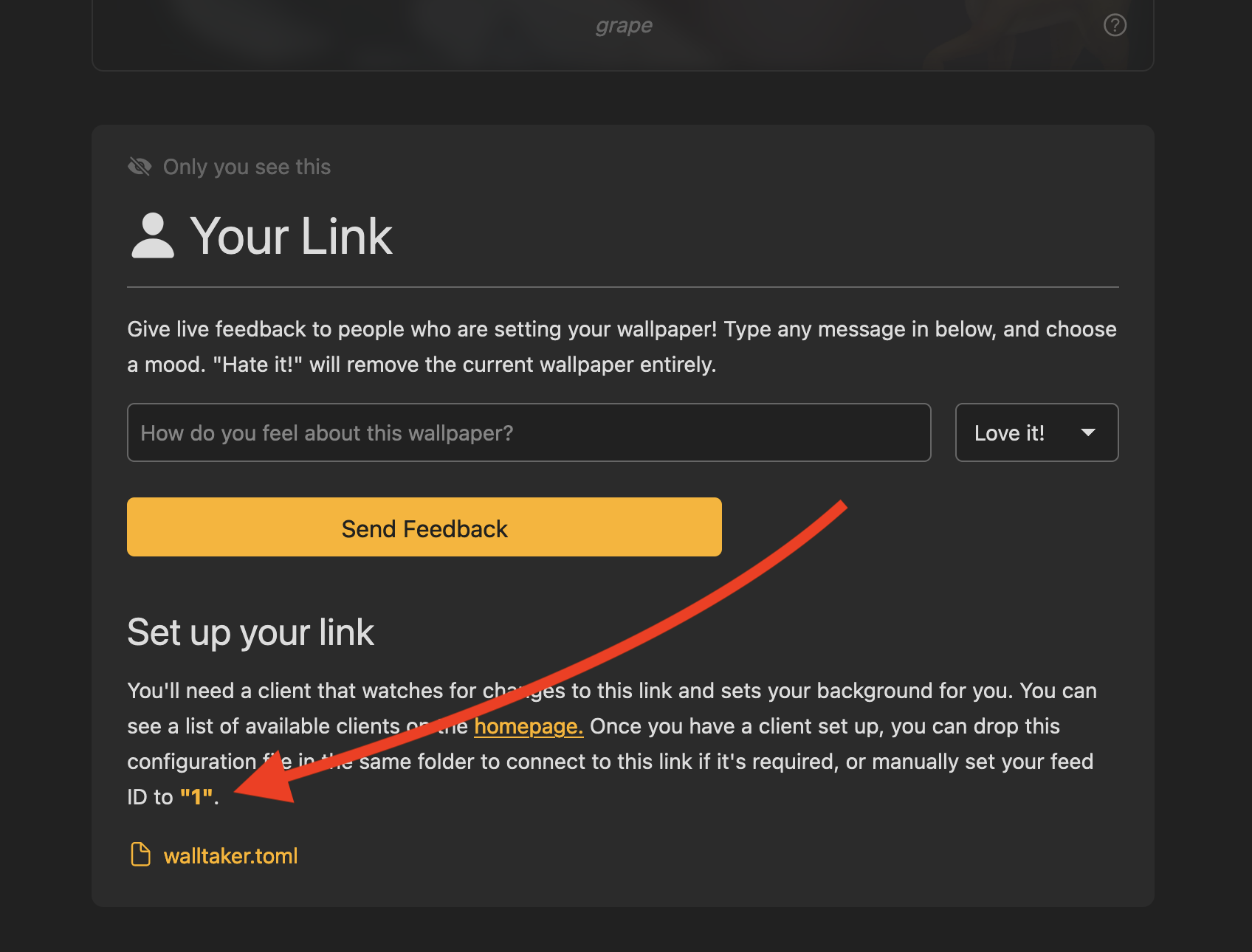
...then note the number that appears in this box. This is your link's ID. It's used as the identifier of which
link you want to pull wallpapers from. In this case my ID is 1. Your link ID is not private.
.toml files
Some clients have fancier settings that you can change. They normally store these settings in a text configuration file called
walltaker.toml. If you're using a client that prefers you use a .toml file, click thewalltaker.toml link inside of this box to download a pre-made one for your link. 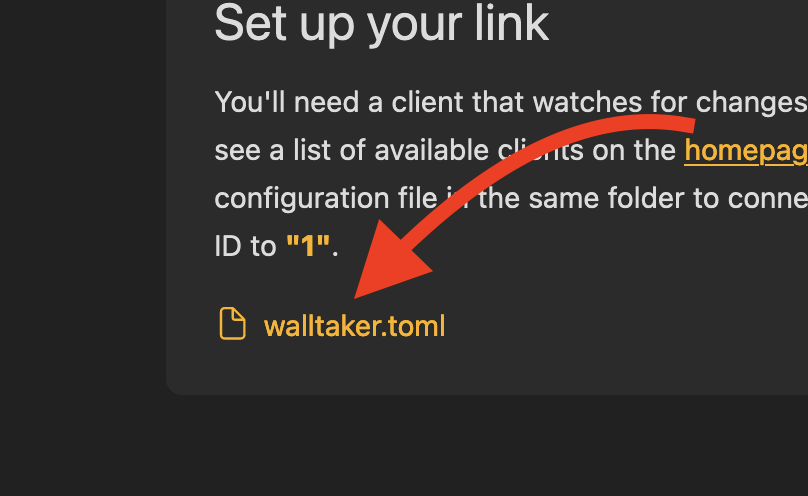
Follow the instructions for your client to add this link to it. Normally it's in a menu where you can simply type in the link ID.
3. Share Your Link!
Wow! You have everything set up now! Let's just verify that everything is working, and then you can share your link publicly!
-
Click
Linksin the header.
-
...then look at the link you made in the list. It should say
Online
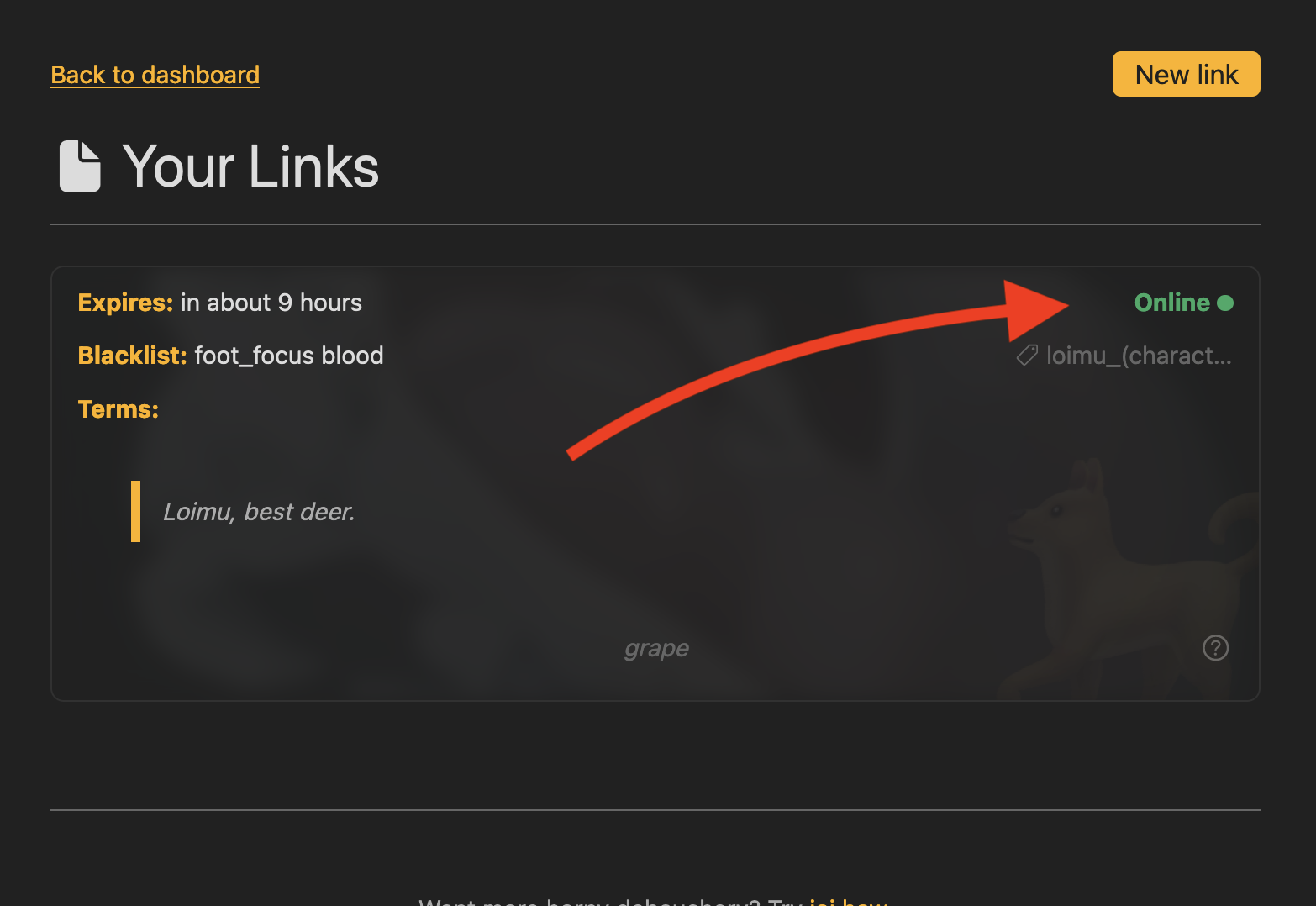
It says New
Your client NEVER successfully pinged the link.
- Are you sure your set the right link ID? Refer to step #2.
- Did your client crash?
It says Offline
Your client pinged this link at least once, but gave up! This could be due to a number of things:
- Did your client crash?
- Some phone operating systems kill background apps, this can sometimes affect clients. Refer to client documentation.
- Did you change the frequency of checks? It must be under 1minute to be
Online.
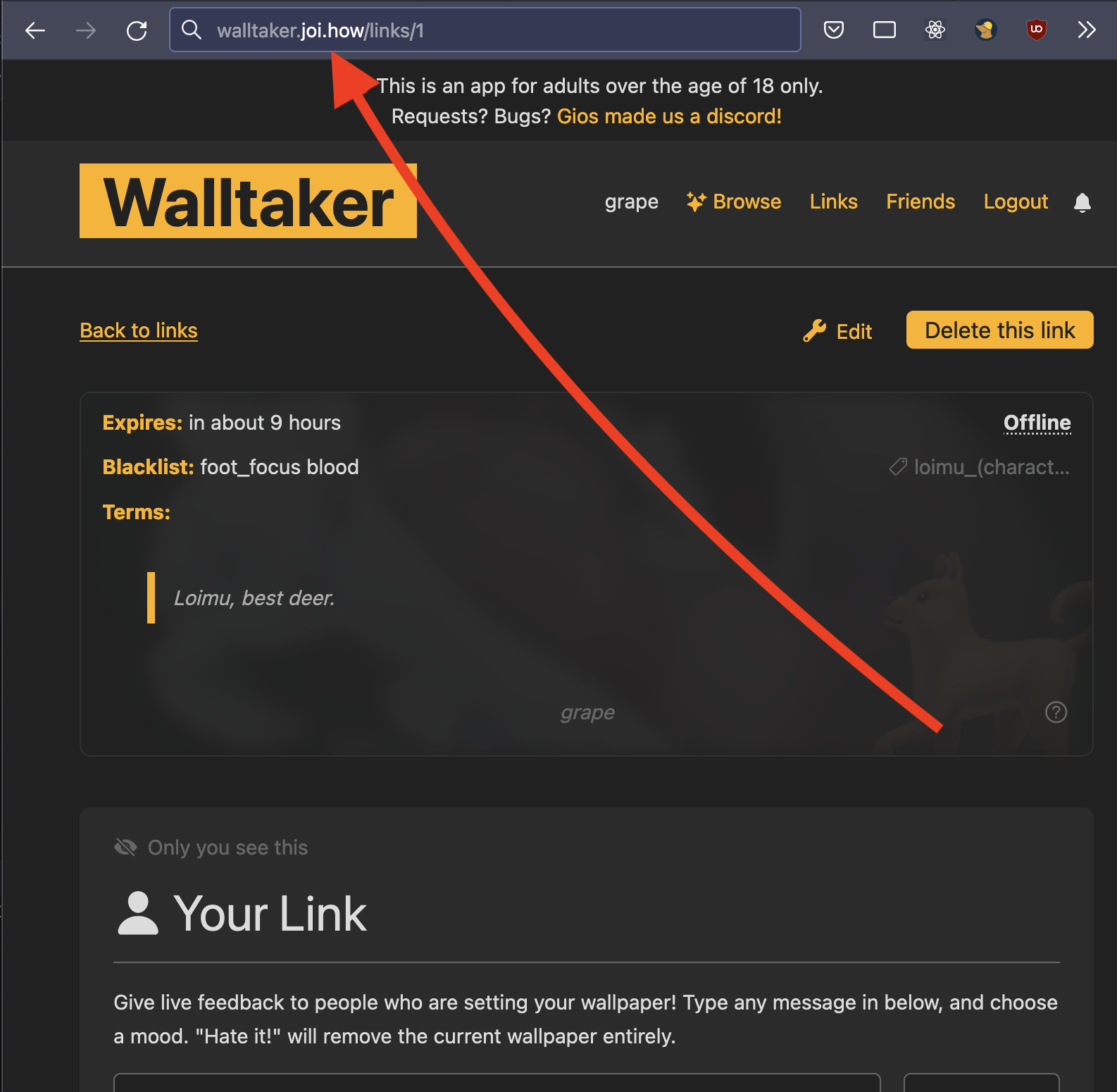
Now it's time to share your link! This couldn't be easier. Just copy and paste the URL from your browser. it
should look like https://walltaker.joi.how/links/420 where the last number is your link ID.
Share this with anyone you want! This is where people edit your wallpaper.
Q: I got a wallpaper I don't like.
A: Walltaker is an app for letting others change your wallpaper, without your approval. While I provide as many tools as possible to ensure you only get wallpapers you like, know that the point of this app is to be out of control to some extent. Here are some tips to use walltaker's filtering features to their fullest:
- Add people you trust as friends, this allows you to use
friends-only links, which stops anon spam. This is by far the most effective route. - Use a theme tag. A theme tag allows you to force a tag to be present on wallpapers people pick for you. This can normally be good at filtering out things like genitalia (gay) you don't want to see or forcing a specific sexuality. (male/female)
- Fill out your blacklist honestly. If you don't like most foot-fetish art, then it should be in your blacklist, even if there's some art you do like. People don't read your link terms enough to understand nuance.
- Be clear in your terms. A lot of bad wallpapers are simply mistakes. Use as few words as possible to express what you want.
As always, if you think you're being harassed, contact an admin on the discord (See link in the header) who can look into it for you, and IP ban an anon user if they're trying to be malicious.
Q: Can I make my own client?
A: Yes! I have some API documentation on our github. You can contact an admin on discord to get it listed on the site. Here's some tips for what makes a good client:
- It doesn't just have to be wallpapers! iOS has no native APIs for setting lock screen or home screen wallpapers. Maybe a good idea would be a home screen widget that could show the current wallpaper instead?
- Just because we're short-polling, doesn't mean you can ping us as fast as you want! Please keep requests at around 1request per 10seconds. This service is hosted at my expensive, and heavy load will mean I have to vertically scale up the server it lives on. Don't be an asshole.
- Use native APIs to set the wallpaper if available. A good example of why this is a good idea is the MacOS client. It uses the Cocoa APIs to affect the wallpaper instead of using the more-universal apple-script solution common in apps not made with swift/obj-c. This is MUCH less buggy way to assign wallpapers, and doesn't require as many permissions. Research if there's an SDK/language you should use to better take advantage of native APIs.